
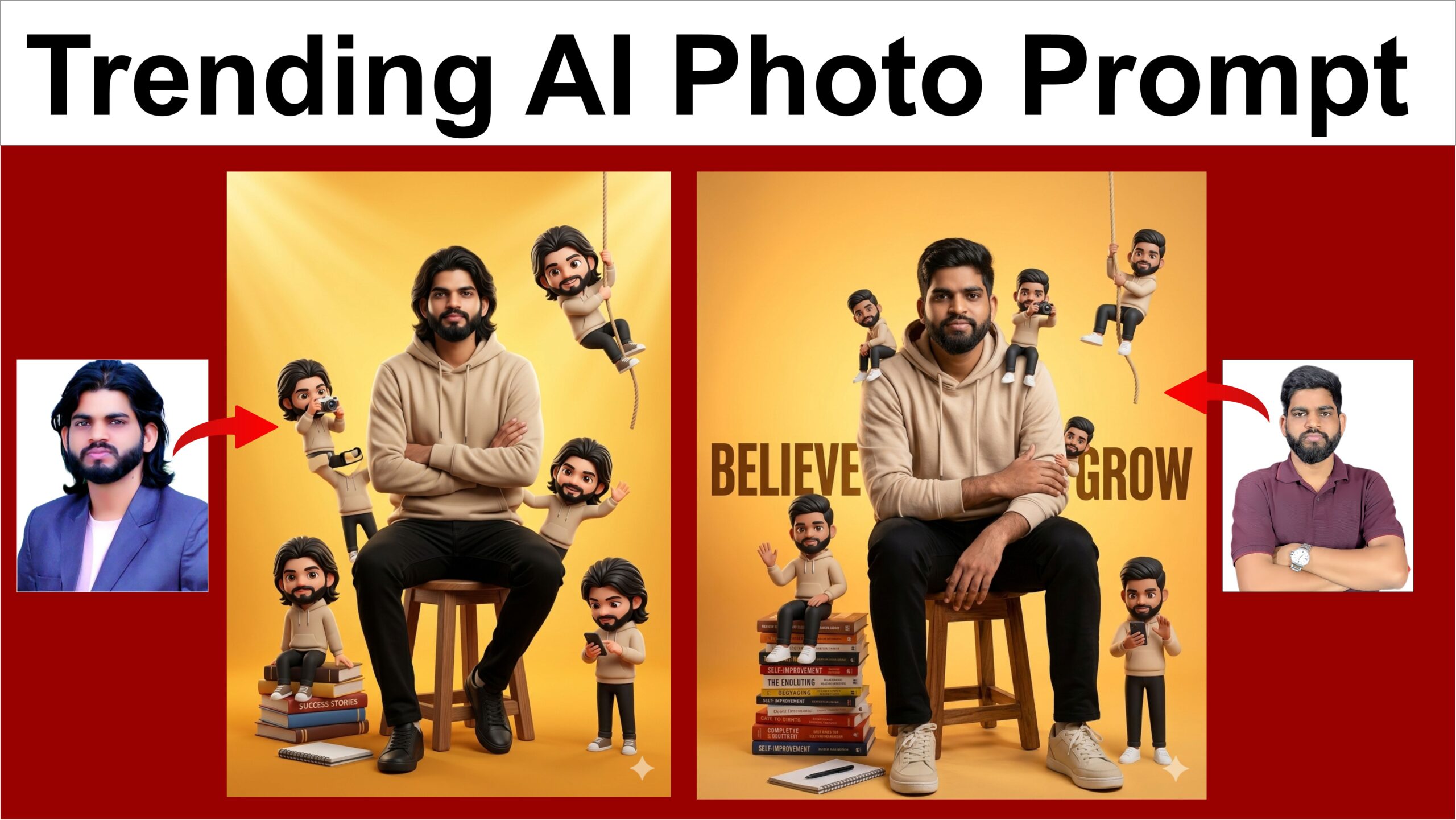
Google Gemini has transformed photo editing from a tedious process of adjusting sliders, layers, and masks into an intuitive, natural conversation. Driven by advanced multimodal AI models—specifically Google’s Nano Banana 2—the Gemini app allows users to seamlessly generate, alter, and refine images using everyday language. This capability bridges the gap between professional graphic design and casual creativity, giving anyone the power to execute high-fidelity visual adjustments in seconds.
Seamless Multimodal Workflows
At its core, Gemini’s photo editing works through two primary workflows: modifying AI-generated art and editing user-uploaded photos. Users can kick off a session by prompting Gemini to build an image from scratch. Once the initial visual is rendered, the editing process becomes an ongoing dialogue. Instead of restarting with a new prompt, you simply tell the AI what to change, add, or remove.
Alternatively, you can upload your own photography—such as a personal portrait, a landscape, or a product shot—and command Gemini to execute complex digital manipulations. The underlying AI seamlessly processes text and image data simultaneously, providing an integrated, multi-step editing experience that maintains structural context and visual continuity.
Powerful Editing Capabilities
Gemini’s editing toolkit handles a diverse range of creative requests, making it a highly adaptable asset for content creators, marketers, and digital artists.
Object Manipulation: You can effortlessly swap, add, or delete elements within a frame. For instance, you can instruct Gemini to remove background distractions, clear out unwanted objects, or introduce entirely new elements into a scene.
Aesthetic and Style Transfer: Gemini excels at reimagining the texture, color palette, and overall mood of an image. You can take the stylistic essence of a reference photo and apply it directly to your subject. Prompts can specify subtle adjustments, like shifting a portrait to a “cinematic movie poster look” with 35mm film grain, or adding dramatic “golden-hour” lighting to a landscape.
Local and Global Refinements: The AI can target specific areas for local edits—such as changing a hair color or brightening a subject’s eyes—while accurately preserving the original facial structures and features without distortion. It also handles global text rendering, allowing users to embed clean, correctly spelled typography natively within an image.
Professional Accessibility and Security
What makes Gemini remarkably powerful is how it balances simplicity with technical depth. While beginners can get great results using casual descriptions, advanced creators can inject specific technical parameters—such as lens types, depth of field, and explicit shadow control—to yield highly professional, commercial-grade results.
Furthermore, Google balances this creative freedom with digital safety. Every image generated or edited through Gemini natively includes SynthID—an invisible digital watermark developed by Google DeepMind—ensures AI-generated content can be securely identified, maintaining transparency across digital ecosystems. By turning complex photo manipulation into a conversational assistant, Gemini effectively redefines the future of visual storytelling.
“A young Indian man sitting on a stool, wearing a beige hoodie and black pants, calm confident expression, surrounded by multiple cute mini cartoon versions of himself in different poses (sitting, climbing rope, taking photos, waving, using phone), warm yellow-orange gradient background, modern motivational poster style, soft cinematic lighting, highly detailed face, 3D cartoon characters, depth of field, aesthetic composition, books stacked beside him (self-improvement theme), notebook on floor ratio 5×7