
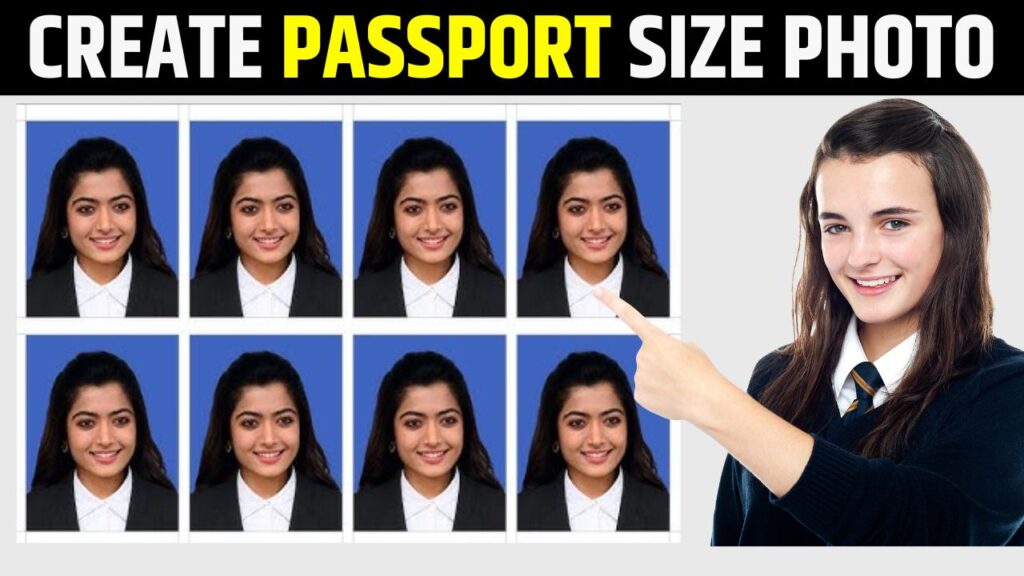
The Perfect Shot, Powered by AI: Your Guide to Flawless Passport Photos
For decades, the passport-size photo was a universal source of minor anxiety. It meant a trip to a photo studio, sitting under unflattering lights, trying to hold a neutral expression while a photographer counted down from three. The result was often a stiff, slightly awkward image that would stare back at you from your official documents for the next ten years.
Thankfully, that era is over. The revolution hasn’t been led by better cameras, but by smarter software. Artificial Intelligence has democratized and perfected the process, putting the power to create a flawless, government-compliant photo directly into your hands, right from your smartphone or computer.
This article will guide you through the best AI tools that are turning a chore into a seamless, DIY experience. We’ll explore how they work, what makes them stand out, and how to choose the right one for you.
The AI Magic: What Happens Behind the Scenes?
Before diving into the tools, it’s helpful to understand the core AI technologies that make this possible:
Facial Detection and Landmarking: The AI doesn’t just see a face; it maps it. It identifies the precise location of your eyes, nose, mouth, and jawline. This is crucial for ensuring your face is centered and takes up the correct proportion of the frame—a key requirement for official photos.
Background Removal and Replacement: Using a technique called semantic segmentation, the AI distinguishes you from your background with pixel-level precision. It can then instantly replace your messy bedroom or a cluttered wall with a perfect, plain white or off-white background that meets official guidelines.
Size and Crop Automation: Every country has slightly different requirements for passport, visa, or ID photos (e.g., 2×2 inches for the US, 35×45 mm for many European countries). These tools have databases of these specifications and automatically crop and resize your image to the exact dimensions.
Photo Enhancement: This is where the “wow” factor comes in. The AI can subtly correct lighting, reduce shadows under your eyes, and even out skin tones—all without making the photo look artificially “photoshopped,” which could lead to rejection.
The Top Contenders: Best AI Tools for Passport Photos
Here’s a breakdown of the best AI-powered tools available today, catering to different needs and platforms.
1. Passport Photo Maker (ID Photo Studio)
Platform: Windows/macOS Software & Mobile Apps
Best For: Precision and offline use.
This is one of the most robust and dedicated tools available. While it’s a paid software, its depth is unparalleled. You can take or upload a photo, and the software will guide you through aligning your face with an on-screen template for over 100 countries. Its AI automatically detects the face, crops the image, and replaces the background. Its standout feature is the ability to print directly on standard photo paper, saving you a trip to the store. It’s the professional’s choice for guaranteed compliance.
2. PhotoAiD
Platform: Web & Mobile Apps
Best For: Guaranteed compliance and convenience.
PhotoAiD operates on a simple but powerful premise: their AI will create a compliant photo, and if it gets rejected by the authorities, they will refund your money. This guarantee speaks volumes about their confidence. The process is incredibly user-friendly: upload a selfie, select your country and document type, and their AI does the rest in seconds. It’s a web-based service, so there’s no software to download, making it super accessible.
3. Canva
Platform: Web & Mobile Apps
Best For: Users already in the Canva ecosystem.
While not a dedicated passport photo tool, Canva’s powerful AI features make it a fantastic option. Using the “Background Remover” tool (a premium feature), you can instantly isolate yourself from your background. Then, using Canva’s vast templates, you can resize the image to the correct dimensions and place it on a 4×6 inch print template for easy drugstore printing. It requires a bit more manual work than dedicated apps, but offers great flexibility and is part of a larger creative toolkit.
4. Mobile Lab: Passport Photo Editor
Platform: Mobile Apps (iOS/Android)
Best For: Pure mobile-first speed.
This app exemplifies the “high-RPM” approach. Its interface is built for speed. You take a picture, and the AI instantly provides a compliant passport photo. It includes features like a dress-up tool (virtually adding a collared shirt if yours isn’t suitable), detailed guidance on pose and lighting, and a wide database of country-specific formats. It’s perfect for when you need a photo in minutes without ever leaving your phone.
5. Adobe Express (with Adobe Firefly AI)
Platform: Web & Mobile
Best For: Quality and professional-grade results.
Leveraging the power of Adobe’s industry-leading technology, Adobe Express offers a superb “Remove Background” AI tool. The results are often the cleanest and most precise, with excellent handling of tricky areas like hair. After removing the background and adding a plain one, you can use the resize function to get the exact dimensions. For users who value pixel-perfect quality and have some basic design comfort, this is a top-tier, free-to-start option.
A Step-by-Step Guide to Your Perfect AI-Generated Photo
No matter which tool you choose, the process is remarkably similar:
Find Your Light: Stand facing a window or in a well-lit room. Avoid harsh overhead lights that create shadows. Natural light is always best.
Set the Scene: Use a plain, light-colored wall as your background. This gives the AI a head start.
Position Your Camera: Have someone else take the photo or use a selfie stick. The camera should be at eye level and about 1.5 meters (5 feet) away.
Master the Pose: Look directly at the lens with a neutral expression. Keep your mouth closed and make sure your hair isn’t obscuring your face or eyebrows. Don’t wear a hat or heavy glasses that create glare.
Upload and Select: Upload your best shot to your chosen AI tool and select the country and document type (e.g., “US Passport,” “UK Visa”).
Let the AI Work: The tool will process your image in seconds. Review the result to ensure it looks natural and your face is perfectly aligned.
Download and Print/Share: Download the digital file for online applications or use the provided template to print at home or at a local pharmacy.
The Future is Already Here
The development of these tools is a perfect example of AI solving a mundane but universal problem. They have taken a process defined by rigidity and inconvenience and infused it with speed, accessibility, and impressive accuracy. The “AI Passport Photo” is no longer a novelty; it is the new standard.
These tools represent a broader trend of hyper-specialized AI applications that seamlessly integrate into our daily lives. They don’t require us to be experts in graphic design or photography; they simply require a single click to unlock their powerful, pixel-perfect potential. So, the next time you need a passport photo, skip the studio. Your best shot is waiting in your pocket, powered by artificial intelligence.